
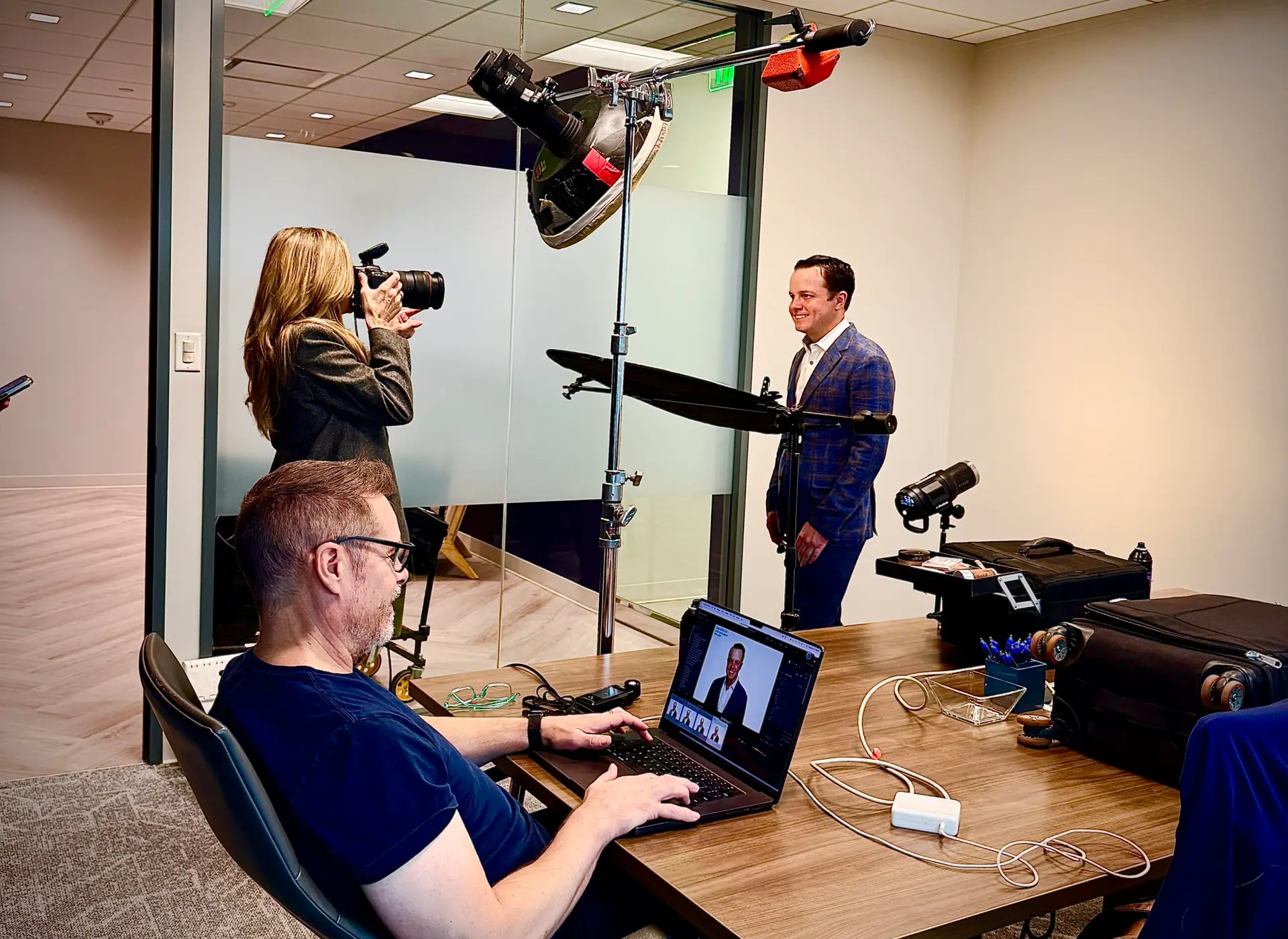
Planning a company headshot day? Here’s how to prepare your team, organize appointments, and manage photo selections so employees know what to expect and the day runs smoothly.
By Kelly Williams · Dallas–Fort Worth
Organizing a company headshot day can feel a little like school picture day. The moment the camera equipment goes up, a buzz takes over the office. Some people are excited; others would rather stay at their desks.
For the office managers and marketing teams coordinating the shoot, a clear plan makes a difference. When employees know where to go, what to wear, and what happens during their session, the day becomes easier to manage.
Here is how I help companies in Dallas–Fort Worth prepare their teams for a consistent set of professional headshots.
Headshot Day at a Glance
- Choose the background and intended image uses before sending wardrobe guidance.
- Reserve a suitable space and confirm setup access.
- Schedule individual appointments, extra executive time, and a little breathing room.
- Explain photo review, image selection, and delivery before the shoot.
Select Your Background Strategy
Before advising your team on what to wear, we need to decide on the look of the photographs. Classic white and gray backgrounds are common, versatile choices, but they are not the only options.
We can photograph employees in your office or lobby for an environmental portrait. If your office has a great view, a window can become part of the background. We can also plan for a digitally created background or review an existing corporate standard to determine how closely we can match it.
Share a few examples of your current headshots and tell me where the new images will appear. That helps us plan the background, lighting, and crop together.


Communicate Wardrobe Guidelines Early
One of the first questions employees ask is what to wear. Send general wardrobe guidance early so everyone has time to try on their clothing and plan an alternative.
Once we finalize the background and intended uses—such as your company’s team page, LinkedIn profiles, or press materials—I can help you provide more specific recommendations. Give everyone a clear level of formality while allowing room for individual style.
For clothing tips to share with employees, see What to Wear for Corporate Headshots.
Reserve the Space and Confirm Access
Choose the shooting area before assigning the first appointment. A conference room or another space away from heavy foot traffic can help employees feel more comfortable and reduce interruptions.
We will confirm the space needed for the chosen setup, access to power, and the time required to set up and pack away. Let me know about parking, loading access, building security, and any restrictions that could affect bringing equipment inside.
Build a Schedule With Breathing Room
For a company headshot day with one outfit and one background, I generally allow 5–10 minutes per person. The final schedule depends on the number of employees, the photographs needed, and the image-selection process.
Assign individual time slots and ask employees to arrive ready to be photographed. Add short buffers between blocks, along with breaks for longer shoot days, so one delayed appointment does not disrupt the whole schedule.
Reserve extra time for executives whose portraits will be used extensively in press releases or marketing. A longer session gives us room to explore more expressions, angles, and options.
Designate one person to coordinate arrivals and help with last-minute changes. Make a plan for employees who are absent or unable to leave a meeting.
A clear schedule gives each person time in front of the camera—and keeps the rest of the office moving.
Leave Room for Last-Minute Touch-Ups
Ask employees to arrive with clean, pressed clothing and their hair ready. I also bring a lint roller and hairspray for small adjustments before we begin.
A stray hair or a little lint is easy to address on set. Those touch-ups help us make the most of each person’s appointment.
Help Camera-Shy Employees Know What to Expect
No one is expected to know how to pose. I guide each person through posture, body position, and expression, making small adjustments as we photograph.
I generally photograph these headshots with the subject standing, which helps me guide posture and keep the session moving. Each person still gets individual direction.
Some employees are comfortable in front of the camera; others prefer a quieter approach or a small grin to a broad smile. I adapt to the person rather than asking everyone to give the same expression. The goal is a professional portrait that still looks like them.
Use Instant Feedback to Make Adjustments
During the session, employees can view their photographs on a monitor. Seeing the results helps them understand the posing guidance and often makes them more comfortable.
If a collar needs adjusting or an expression feels forced, we can address it while the person is still in front of the camera. Within the scheduled appointment, that feedback helps us work toward a final image they feel good about.

Decide How Employees Will Select Their Photos
Before your company headshot day, we’ll decide whether employees will choose their photograph during the shoot or afterward through a private gallery.
Select During the Shoot
Employees review their photographs on the monitor and choose their favorite before leaving the session. This allows retouching to begin sooner and is the best option when a quicker turnaround is important.
Select From a Private Gallery
I can create a private online gallery for each employee to review their photographs and select a favorite for retouching afterward. This gives everyone more time to decide, but I recommend setting a firm selection deadline so the project stays on schedule.
Choose How Galleries Will Be Delivered
Gallery delivery is flexible. I can:
- Email galleries directly using employee email addresses provided in advance.
- Collect email addresses during the shoot and send galleries directly afterward.
- Provide individual gallery links and detailed instructions for your office contact to distribute.
Before shoot day, we’ll confirm the selection method, who will distribute the galleries, and whether the company needs to approve employees’ choices. We’ll also agree on the number of retouched images, file requirements, and delivery timing once final selections are received.
Plan for Future New Hires
Growing companies need a plan for adding new employees without making the team page look inconsistent. Discuss future sessions when we choose the original background and style.
We can use the initial photographs as a reference for lighting, framing, and wardrobe direction. If we plan to composite future portraits into the same office setting, I can photograph a clean “background plate”—an image of the empty scene—during the first session.
That plate gives us a reference and a background to work with. Matching future portraits still requires suitable lighting, camera perspective, and posing, so it is best planned from the start.
What Retouching Includes
Selected photographs receive professional retouching, including blemish removal, gentle line softening, stray hair cleanup, and reduction of facial shine. My goal is a polished portrait that still looks natural and recognizably like you.
Employees can also share specific retouching requests when choosing their photograph. If something concerns them, I encourage them to mention it so we can discuss the adjustment before retouching begins. More extensive requests can be reviewed separately.
How Final Retouched Images Are Delivered
Once retouching is complete, I typically deliver the finished images through Dropbox Transfer. Some financial companies and law firms restrict access to Dropbox, so please check your company’s file-sharing policies before delivery.
If needed, I can arrange an alternative using Google Drive or WeTransfer for larger files, or send a ZIP file directly by email when the attachment size allows. We’ll confirm a delivery method your team can access before the finished images are ready.
Company Headshot Day Checklist
- Confirm the employee count, background, and intended uses.
- Reserve the room and allow setup and pack-down time.
- Send wardrobe guidance, the location, and individual time slots.
- Build in buffers and extra executive time.
- Choose an on-site contact and plan for absences.
- Choose on-site selection or private galleries, and set a selection deadline.
- Confirm gallery distribution, retouching, file delivery, and timing.
- Discuss a consistent approach for future new hires.
DALLAS – FORT WORTH / COMPANY HEADSHOTS
Let’s Plan Your Company Headshot Day
Tell me how many people need photographs, where your office is located, and when you need the finished images. We can plan the background, schedule, and approach around your team.